
Siri was the feature I was least interested in on my new iPhone 5, and also the feature I least expected to be useful or work well. So I’m surprised to find that I’ve become a Siri fan!
Using Siri is much quicker than typing such things as an email subject, or a comment to a Facebook post, than using the small keyboard on the phone. And it’s often easier to have Siri open an app for you than hunting for it on the various home screens.
One proviso: Siri requires a network connection. It works great on WiFi and LTE and on reasonably fast 3G. But when I tried to show it to somebody and I was in a very slow 3G area it didn’t work – at all.
Here are some simple examples and screenshots:
Adding an appointment to the Calendar is usually tedious on the iPhone, with lots of steps required. Here I told Siri, “Make an appointment for next Wednesday at 5:30 pm to have a conference call with Adrian.” Siri recognized my speech perfectly, and even cautioned me I had an appointment at that time. Then it created the Calendar event when I confirmed. This saved a lot of steps and figuring out where to enter everything via the keyboard.
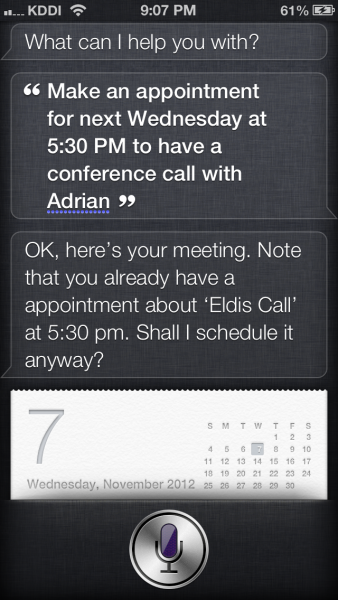
Note that you can do this from the lock screen. You don’t have to press the home button, then slide to go to the home screen, then open the Calendar app, etc., first. From the lock screen you just hold the home button down and the Siri prompt, “What can I help you with?” appears. So I’m using reminders and adding Calendar events more than I have been. It’s become more convenient to do so.
You can also set Siri’s voice volume. It (I refuse to call it “her”) will speak its answers as it displays info on the screen.
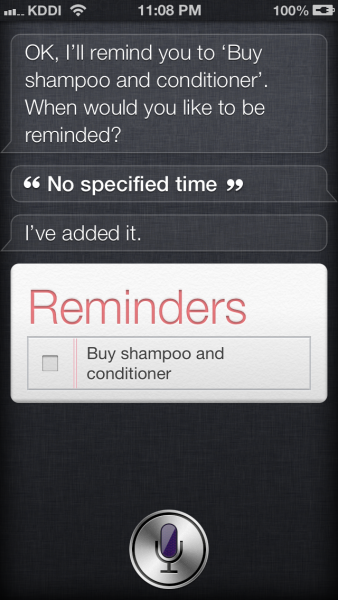
In the following screenshot, I told Siri, “Remind me to buy shampoo and conditioner.” Siri asked me when I wanted to be reminded. I just wanted a general reminder added to my to-do list so I responded, “No specified time” and Siri created the reminder for me.
If I had said a time like, “Remind me to pay my rent tomorrow at 1 pm” then it would create a reminder for that time and I’d get a notice popping up then. With iCloud, I would also see the same notice appearing simultaneously on my iMac and iPad.
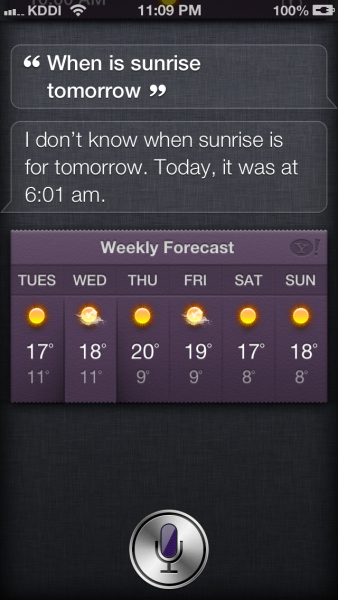
Sometimes, even if Siri can’t quite make the right logical leap it will still provide some relevant, useful information. Here I asked Siri, “When is sunrise tomorrow?”
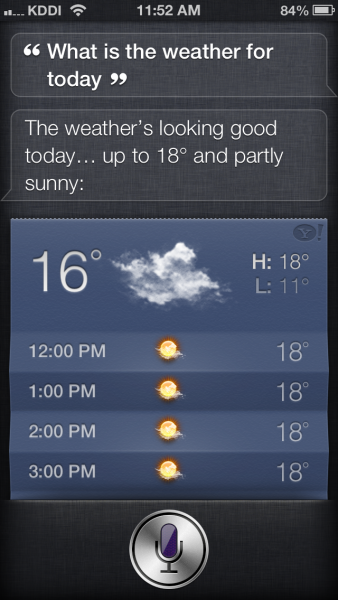
Siri is pretty good about giving weather info. Here I asked, “What is the weather for today?”
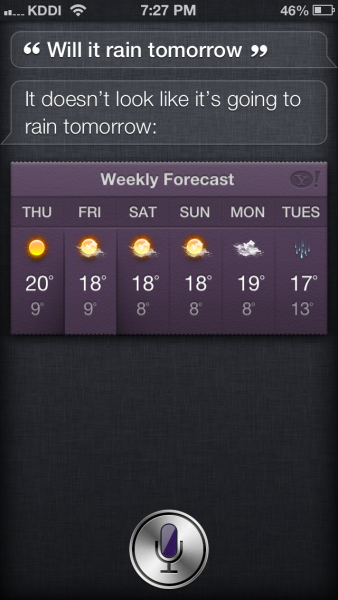
And here I asked, “Will it rain tomorrow?”
If you are at the Japanese keyboard, you can even dictate in Japanese! Here I went into Notepad and started dictating in Japanese and Siri entered it all correctly.

Using Siri, it is easier to open an app when you are not sure where its icon is, and even when in standby mode (with the black screen). You just need to hold the the home button down until Siri asks what you want. For example, I can just hold the button down and then say, “Open MyFitnessPal.” Siri will find and open the app for me, I just enter my calories and I’m done.
Or while writing this post, I told Siri, “Play Both Sides Now” and it found the song and a moment later I heard Joni Mitchell singing to me. It’s that easy!
It saves steps and time and I don’t even have to remember where the apps are. I find myself using that feature all the time.
Siri works “in the cloud” and accumulates knowledge as time passes. This has some privacy concerns (everything you say is sent to the Apple cloud to be analyzed) but as a result you can get some interesting results.
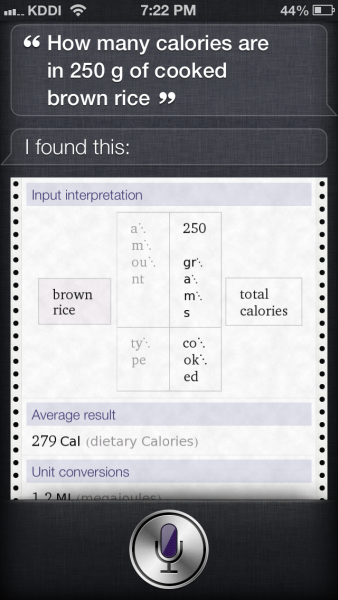
For example, here I asked Siri, “How many calories are in 250 g of cooked brown rice?” Siri displayed a useful result.
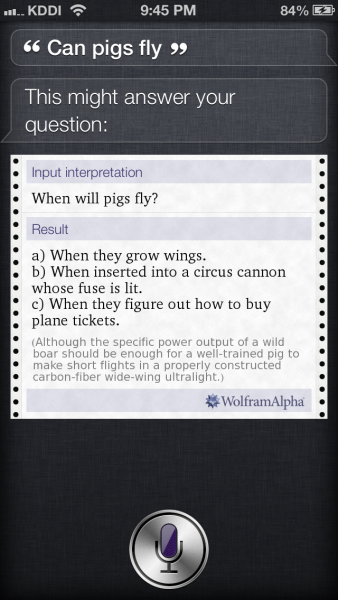
Because of the “crowd sourcing” nature of Siri, sometimes you can ask an intentionally silly question and get a funny response. Here I asked Siri, “Can pigs fly?” and was shown this:
As I mentioned above, sometimes Siri can miss the target altogether and you get a completely nonsensical answer and go, “What?!” But Siri is more useful than not.
I find it time-saving, practical and useful. And I think people with vision problems, or who might particularly have problems typing in messages on the tiny iPhone keyboard would find it a time-saver, even if you have to go back and edit something you dictated.
I would say if you have an iPhone 4 and are wondering whether to upgrade or not you can add Siri to your list of reasons to upgrade. I find I also wish it worked on my iPad 2.
doug